Short answer: A MRCOOL remote selects Auto, Cool, Dry, Heat or Fan with MODE, then adjusts temperature and supported fan settings. SET and OK select features such as Follow Me. Match the controller first: fourth-generation DIY E-Star and fifth-generation wall-unit manuals show different fan controls and optional features. One button combination does not apply to every MRCOOL system.
Match the controller first
This guide compares the DIY E-Star RG10A4(D1)/BGEFU1 controller in MRCOOL's fourth-generation manual with the DIY wall-mounted controller in its June 1, 2026 remote manual. The newer manual lists compatible DIY wall-handler models ending D25, alongside other supported families.
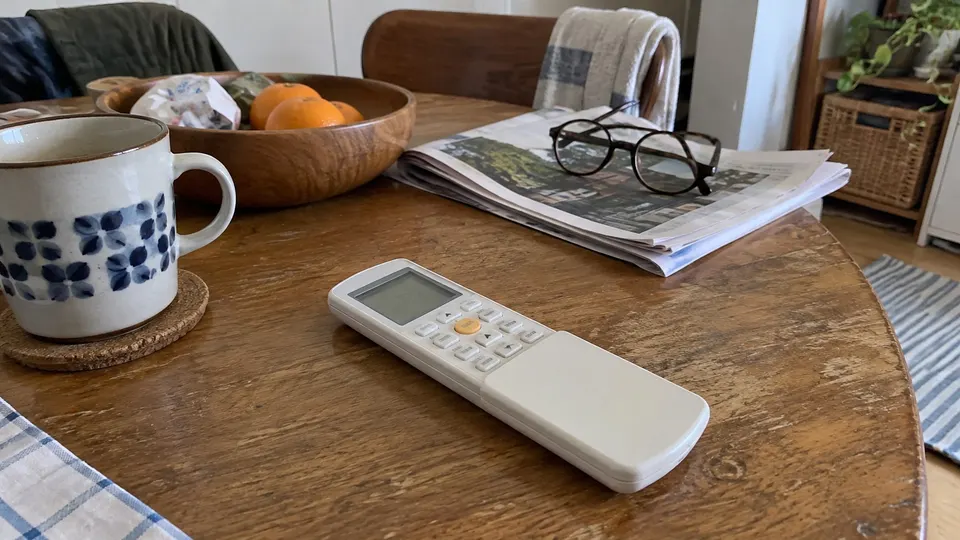
Compare your complete indoor model and remote layout with the manual. Do not treat cassette, older Advantage or third-party remotes as identical. Generation names alone are not enough.
Read the display
| Indicator | Meaning |
|---|---|
| AUTO / COOL / DRY / HEAT / FAN | Selected mode; Heat needs a heat-pump model |
| Temperature digits | Target temperature by default; timer and fan adjustments may use the same area |
| Fan bars or percentage | Selected fan setting, depending on controller |
| TIMER ON / TIMER OFF | Delayed start or stop selected |
| Transmission indicator | Remote is sending, not proof of receipt |
| Follow Me | Supported temperature sensing at the remote selected |
| Sleep | Supported sleep feature selected |
| Lock | Button lock active |
All-icons drawings are legends, not what should be lit during normal use.
Step 1: Select a normal mode
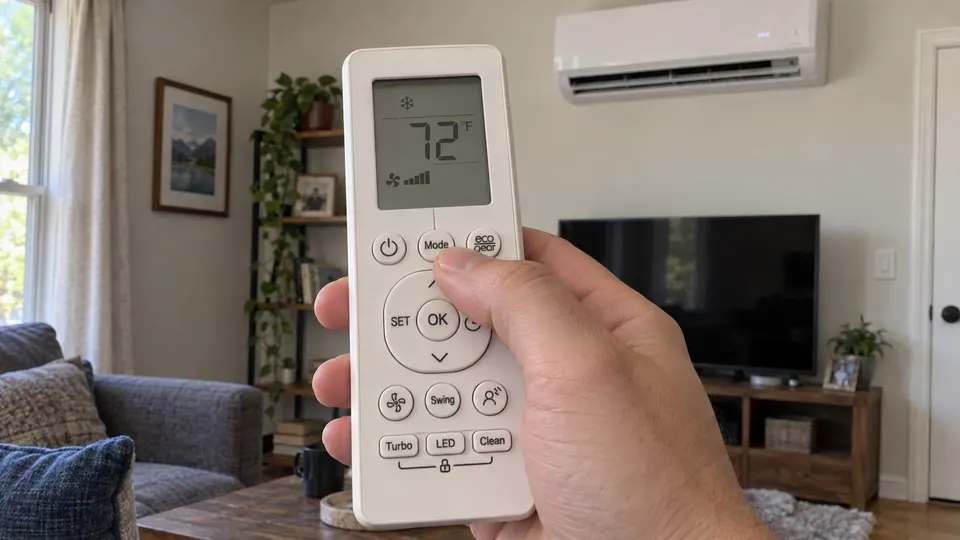
- Aim at the indoor receiver with a clear signal path.
- Use MODE to choose Cool or Heat as needed and supported.
- Set the target temperature.
- Choose a fan setting, then send ON/OFF to start. If already running, send the setting changes.
- Confirm receipt; these manuals describe a beep.
The fourth-generation DIY E-Star section offers Auto, Low, Medium and High fan settings. The newer wall-controller diagram shows AU and percentage steps through 100%, plus fine adjustment through the arrows while setting fan speed. A percentage is not a temperature.
Auto and Dry control fan speed automatically. Fan mode has no temperature target. For moisture removal, read the dry-mode guide and use your model's available adjustments.
Step 2: Use Follow Me
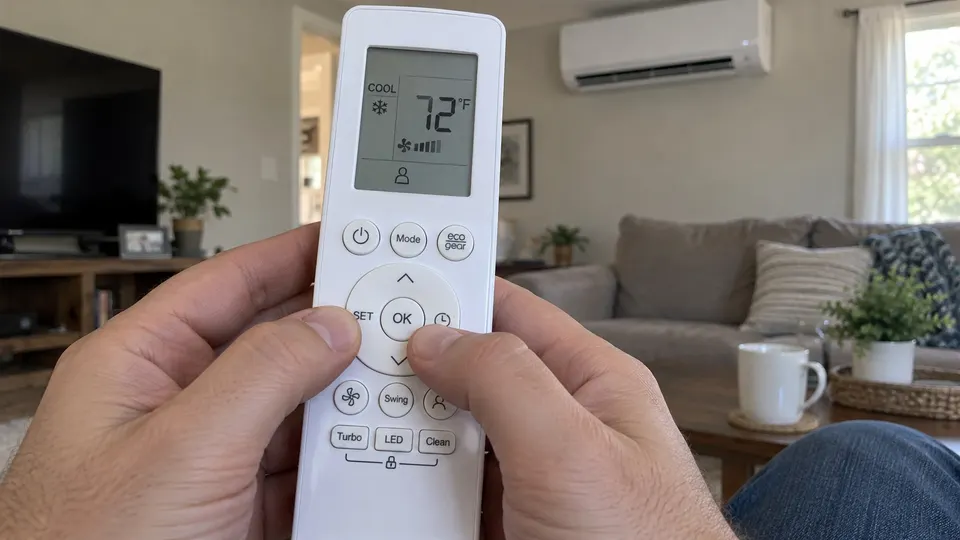
Press SET until Follow Me is selected, then OK to confirm. Repeat the feature-selection procedure to cancel it. Keep the remote in a representative room spot, away from direct sun and local heat, with a usable signal path.
Memory controls differ: the fourth-generation manual describes a TURBO long press, while the newer wall-unit manual describes holding OK for three seconds. Follow only your controller's manual. You do not need memory mode merely to select Follow Me.
Step 3: Set or cancel a timer
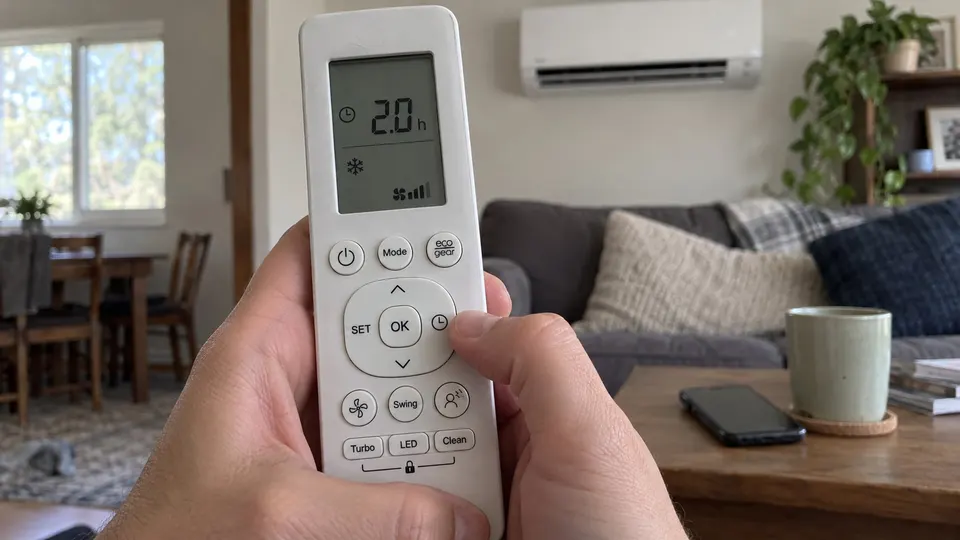
- Select TIMER ON or TIMER OFF with TIMER.
- Use the temperature arrows to select the delay.
- Aim at the unit to send the command.
- Check the relevant timer indicator.
These manuals use elapsed hours from now, not a clock time. Settings advance by half an hour up to ten hours, then by one hour up to twenty-four. Set the corresponding timer to 0.0 h to cancel. Clear both if both are active.
Optional buttons and lock
LED changes the indoor display and, on supported units, its buzzer. A dark display does not mean power is disconnected. SWING adjusts supported louvers; do not force them. TURBO prioritizes a quick temperature change. Silence can reduce output as well as noise.
ECO and GEAR are model-dependent cooling controls, not promised bill savings. An ECO-only remote does not gain GEAR by using another controller's steps. CLEAN does not replace the filter-cleaning routine.
For the two wall-controller manuals covered here, hold CLEAN plus TURBO for more than five seconds to lock buttons, and the same pair for two seconds to unlock. Do not apply this pair to the cassette controller, whose lock controls differ.
If the unit does not respond
Check the lock indicator. Fit two fresh matching batteries with correct polarity, clear the signal path and try a nearby ON/OFF command. Avoid direct sun on the receiver. A changing LCD alone does not prove receipt.
If it still fails, send support the indoor model and remote photograph. Do not repeatedly cycle power to fix a setting. For a system alarm, use the MRCOOL code guide. Keep the remote dry and remove batteries for extended storage according to its manual.
For phone control rather than the handheld remote, see MRCOOL Wi-Fi setup and match the app instructions to your equipment generation.
Sources
- MRCOOL fourth-generation remote manual, DIY E-Star section.
- MRCOOL wall-unit remote manual, June 1, 2026, compatibility, diagram and functions.
- MRCOOL documentation finder.