Short answer: Mini split error codes are not universal. Match the brand, indoor and outdoor model numbers, and complete display code to the correct manual. Some displays describe normal operation, such as defrost or filter reminders, while others require service. Record the code before resetting anything, then use the matching brand guide below.
Before looking up the code
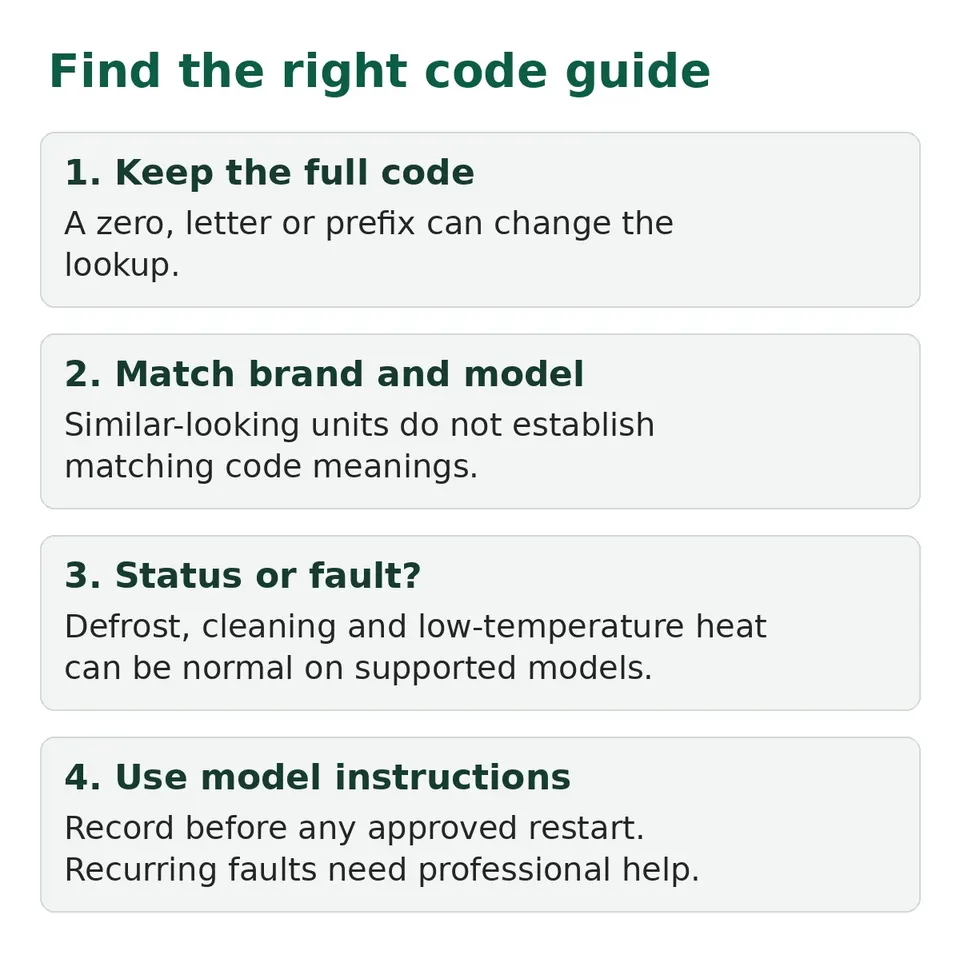
Start with what is visible without taking anything apart. Photograph the display. If a light flashes, note which light and how many flashes come before the pattern repeats. A zero can look like an O. Some displays alternate between parts of the code.
Find the model on your paperwork or a safely accessible label. Indoor and outdoor units can have different numbers. Do not remove an electrical cover to find them. Give both to the installer or manufacturer when available.
Choose the matching guide
These pages explain their model limits. They are starting points, not substitutes for the exact manual.
| Brand | Guide |
|---|---|
| Carrier | Carrier code lookup |
| Daikin | Daikin error codes |
| Fujitsu | Fujitsu blinking lights |
| Gree | Gree error codes |
| LG | LG error codes |
| Midea | Midea display checks |
| Mitsubishi | Mitsubishi error codes |
| MRCOOL | MRCOOL error codes |
| Panasonic | Panasonic code retrieval |
| Pioneer | Pioneer error codes |
For another brand, use its official manual or support. Do not borrow a table from a visually similar system.
A display is not always a fault
Manufacturers list normal statuses as well as errors. Meanings are model-specific.
- dF: Senville's LETO reference lists defrost as normal. Our mini split defrost guide explains what to watch for, with model limits.
- CL: Midea's US manual uses it for a filter reminder and Active Clean on supported models. See mini split CL display.
- FP: Carrier's 40MAHB manual uses it for selected low-temperature heating. See FP freeze protection.
Check before applying those meanings elsewhere. Panasonic's H99 is a diagnostic protection entry, different from its selected room freeze-protection setting.
How different brands show a fault
The same problem can look very different from brand to brand. Our guides for each brand cover these in detail.
- Blinking lights. Mitsubishi M-Series and Mr. Slim units report faults by blinking the Operation lamp a set number of times. Fujitsu blinks the Operation and Timer lights in a pattern. Count the blinks before you look anything up, and note which light is blinking.
- Letters and numbers on the display. LG shows CH codes. Pioneer shows short codes such as E1, E6 or F4. Carrier 40MAHB units show codes such as EL01, EH03 and PC04. Midea lists forms such as E, P, F, EH, EL, EC, PH, PL and PC.
- A code that is only a status. Carrier and Midea manuals both describe a 3-minute restart delay, and both say a switch to Fan mode can be the unit protecting itself from frost. Neither is a fault.
Before you call for service
Carrier's owner manual lists a few things to rule out first: a dirty filter, the wrong temperature or mode, an open door or window, and an obstructed outdoor unit. Midea's manual says if lamps keep flashing or a code appears, wait about ten minutes, because it may clear itself. If it does not, switch the power off and on once, and call customer service if it comes back. Use that only if your manual says the same for your model.
What to do with a real fault
Record the code before restarting. Note the mode and symptom: no heat, no cooling, unusual noise, water indoors or an unresponsive unit. A reset that clears the display does not prove the cause is fixed.
Use only owner-level checks for that model. Filters, remote settings and accessible obstructions do not require opening electrical compartments. Internal wiring, board tests and refrigerant work need a qualified technician.
If the fault returns, report it rather than resetting repeatedly. A refrigerant-leak alert needs the manufacturer's specific response. Do not silence it, remove a sensor or assume an ordinary restart applies. If there is smoke, a burning smell or repeated breaker trips, stop using the system and get professional help.
Make the service request useful
Send the photo, full model numbers, mode, approximate time the code appeared and whether heating or cooling returned. That is more useful than a shortened code copied from an unrelated table.
Keep the correct manual with your paperwork. Follow its filter and maintenance schedule. See cleaning a mini split for general care boundaries.