Short answer: A Carrier mini split error code must be matched to the indoor and outdoor model numbers. For the 40MAHB family, Carrier lists EL01 as an indoor/outdoor communication error, EH03 as abnormal indoor fan operation, and PC04 as an inverter compressor drive error. Record the full code and contact your service representative rather than opening the unit.
Start with the model, not a similar-looking code
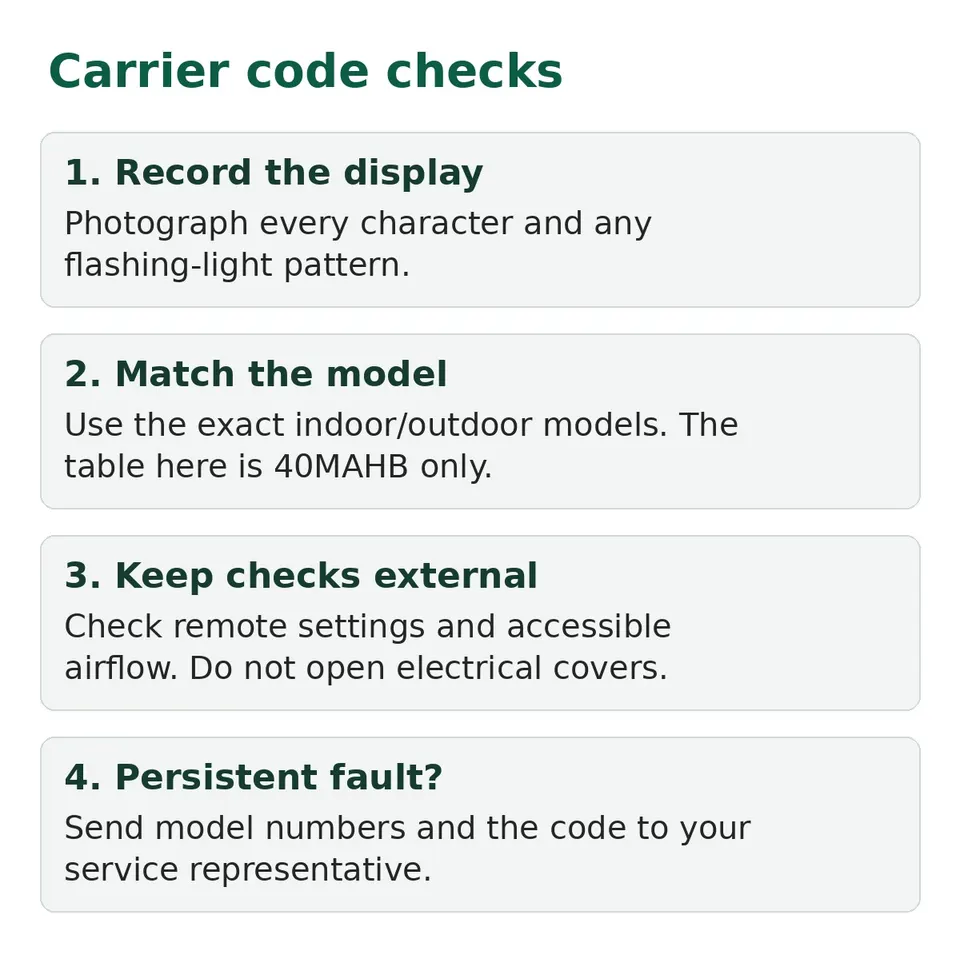
Find the model number on your paperwork or a safely accessible label. Do not remove a screwed cover to find it. Record both indoor and outdoor numbers if available. Photograph the complete code, including spaces, zeros and flashing lights.
This table follows Carrier's 40MAHB service manual SG-40MAHB-02. It is not a universal table for every Carrier mini split. A ducted 45MBDAQ system has its own manual. Do not borrow another brand's code meaning just because the characters match.
Carrier 40MAHB code meanings
These descriptions identify a detected condition. They do not identify a part a homeowner should replace.
| Display | Meaning in the 40MAHB diagnostic table |
|---|---|
| EH00 / EH0A | Indoor EEPROM parameter error |
| EL01 | Indoor/outdoor communication error |
| EH02 | Zero-crossing signal detection error |
| EH03 | Indoor fan operating outside its normal range |
| EC51 | Outdoor EEPROM parameter error |
| EC52 / EC53 / EC54 / EC56 | T3 / T4 / TP / T2B sensor open circuit or short circuit, respectively |
| EH60 / EH61 | T1 / T2 sensor open circuit or short circuit, respectively |
| EC07 | Outdoor fan operating outside its normal range |
| EL0C | Refrigerant leakage detection |
| PC00 | IPM malfunction or IGBT protection |
| PC01 | Over-voltage or under-voltage protection |
| PC02 | Compressor or IPM temperature/pressure protection |
| PC04 | Inverter compressor drive error |
| PC08 | Current overload protection |
| PC03 | Low-pressure protection |
| -- | Indoor-unit mode conflict |
If your model or code is not here, use its own manual. Newer refrigerant-sensor codes such as EHC1 must not be interpreted through this older table.
Checks without opening anything
First, check the remote mode, temperature and timer. Carrier's owner manual lists Fan mode instead of Cool, a low heat setting, dirty filters, open windows and outdoor obstructions among possible causes of poor performance. These are owner checks, not an explanation for every fault code.
On a multi-zone system showing a mode conflict, check what the other indoor units request. The owner manual explains that heating and cooling cannot operate simultaneously. If the display remains abnormal, give the service representative the model numbers and code.
A restart can include a three-minute compressor protection delay on this family. Do not repeatedly cycle power because nothing happens immediately. Read mini split reset checks before considering a model-approved restart.
Things Carrier says are not a fault
Before you call anyone, check the list Carrier gives in its owner's manual of things that look wrong but are normal:
- The unit will not start right after you turn it off. There is a 3-minute protection delay. It cannot restart within three minutes of being turned off.
- It switches from Cool or Heat to Fan. The unit may do this to stop frost forming. It goes back to your mode when the temperature changes.
- White mist from the indoor unit. In humid rooms, a big gap between room air and the cooled air can make mist. Mist from both units after a heating restart comes from defrosting.
- A low hiss. Carrier says refrigerant gas moving through the units causes a low hiss while running, at start, just after stopping and during defrost. Squeaks can come from plastic parts expanding and contracting.
- Odd behavior from a cell tower or booster nearby. Carrier says this interference can make operation erratic. Disconnect power, reconnect, then press ON/OFF on the remote.
A code on the display is different from all of these. If a code shows, write it down first.
Stop points
Carrier's troubleshooting table directs owners to call their service representative when diagnostic lights indicate trouble. Communication, sensor, board, compressor and refrigerant faults need professional diagnosis. The service manual is written for trained personnel, not for homeowner electrical tests.
Do not disconnect wiring, probe boards or add refrigerant. If the breaker keeps tripping, leave the unit off and get help. For a code-free heating problem, use mini split heating checks.
Care that Carrier asks you to do
Carrier's owner manual says to remove and clean the air filters once a month, or more often in a dusty home. Take the filter out, wash it in warm water with a mild soap, rinse it, shake off the water and dry it in a cool, dry place out of direct sunlight, because sun can shrink it. Turn the unit off and disconnect its power first, and do not touch the metal parts inside. If the filter is torn or badly worn, replace it through your dealer.
The manual also says that running with dirty filters can cause lower cooling, on and off running, frost on the indoor coil or blown fuses. For a long shutdown, it says to clean the filters, run Fan Only for 12 hours to dry the inside, then switch off the main power and take the batteries out of the remote. Carrier marks coil, drain pan and electrical work as jobs for qualified service people.
Make the service visit useful
Save the photo, model numbers, operating mode and when the fault appeared. Tell the technician whether it followed installation, a power interruption or a mode change. Keep filters and accessible airflow paths clear as the owner's manual directs. Do not turn a recurring fault into a routine reset.