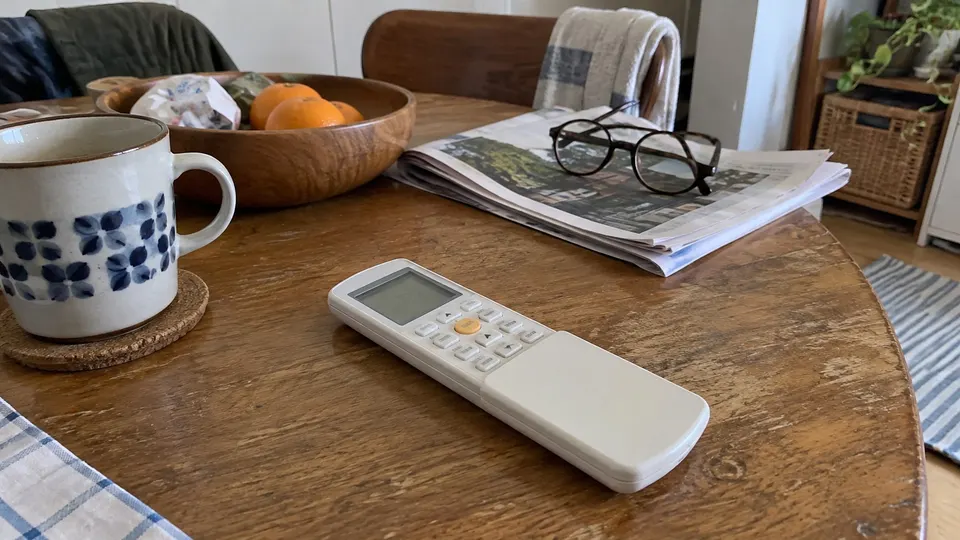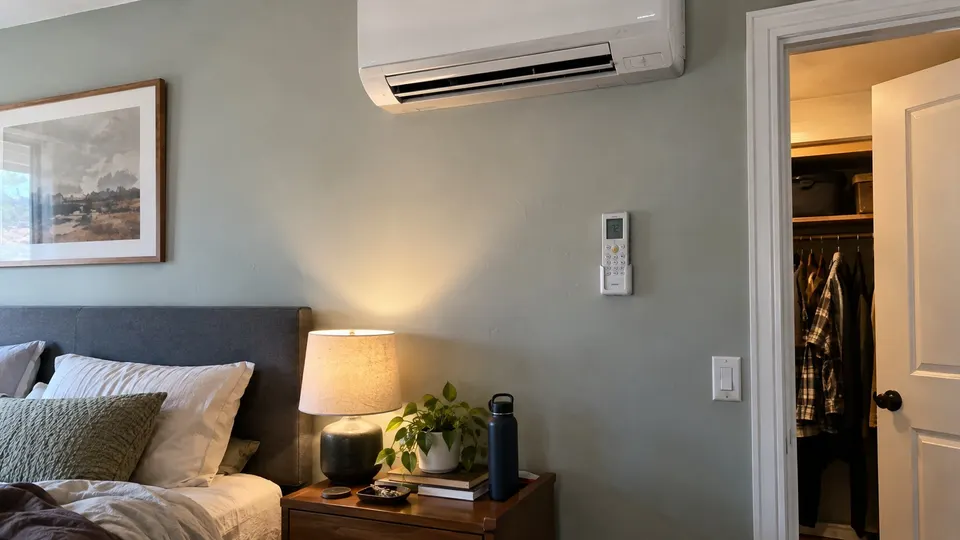
Short answer: The Pioneer RC410TG remote controls Diamante and Quantum series mini splits. Its main buttons are power, Mode (Auto, Cool, Dry, Fan, Heat), Fan speed, Temperature, Timer, Turbo, Mute, ECO, Sleep, I Feel and Memory. Hold Mode and Timer together to lock the remote. Quantum Fresh units use a slightly different remote.
Which systems use this remote
Pioneer's help center says the RC410TG works with these systems: Diamante Essenza and Pro high-wall units, Quantum Ultra and Hyperformance high-wall units, and the Quantum Ultra cassette, ducted and floor-ceiling models. The Quantum Fresh high-wall series has a different remote, the RC410TG-F, with slightly different functions.
If your remote has a different model number printed in the battery bay or on the back, look it up on Pioneer's help center instead.
What each button does
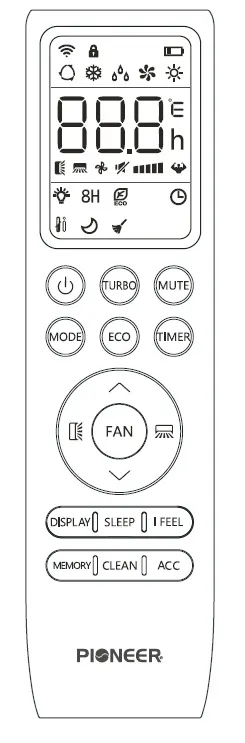
From Pioneer's button guide:
| Button | What Pioneer says it does |
|---|---|
| Power | Turns the air conditioner on or off |
| Turbo | Lets the system reach the set temperature quickly |
| Mute | Turns Mute mode on or off |
| Mode | Chooses Auto, Cooling, Dry, Fan only or Heating |
| ECO | Turns ECO mode on or off |
| ECO (press and hold) | Turns on the 46°F Freeze Protection setting |
| Timer | Sets the automatic on and off timers |
| Up and Down | Move through the menu, and change the set temperature and timer values |
| Fan | Sets fan speed to Auto, Low, Mid or High |
| Swing up-down | Turns the up-down louver motor on or off |
| Swing left-right | Turns the left-right louver motor on or off |
| Display | Turns the indoor unit's LED display on or off |
| Sleep | Turns Sleep mode on or off |
| I Feel | Turns I Feel mode on or off |
| Memory | Recalls your saved temperature, mode and fan settings |
| Clean | Turns Self-Clean mode on or off |
| Child-Lock | Hold Mode and Timer together to lock or unlock the remote |
One button on the remote is marked by Pioneer as reserved for future use. It does nothing now.
Common questions
Use these checks when the remote does not respond the way you expect.
The unit's light is bothering me. Press Display to turn the LED display off.
The remote does nothing. Check that child lock is not on. Hold Mode and Timer together to switch it off. Also check the batteries and that you are aiming at the unit.
What is I Feel? Pioneer's I Feel article says the remote then acts as the temperature sensor and sends the air temperature from where the remote sits in the room. Pioneer says this can help when the room does not match the set temperature. Press I FEEL once to turn it on, and the icon shows on the display. Press it again to exit. It turns itself off after 8 hours, or 2 hours on some models. So if you put the remote on a shelf near the bed, it reads that spot, not the wall by the unit.
What is Freeze Protection? Pioneer says holding the ECO button turns on a 46°F setting. Pioneer does not describe it further on that page, so check your manual before relying on it for a vacant home.
Reading the remote screen
Pioneer's screen guide for the RC410TG lists the icons you will see. They are the temperature, Auto, Cooling, Dry, Fan Only and Heating modes, the signal transmit indicator, child lock, battery level, Mute, Turbo, fan speed (Auto or fixed), timer active, ECO, Self-Clean, Sleep, the 8°C (46°F) heating function, I Feel, LED display on or off, and the up-down and left-right swing indicators. If you see the child lock icon, hold Mode and Timer together to clear it.
Changing the batteries
Pioneer says to use two AAA batteries and not to use rechargeable ones. Replace them when the display stops working. Slide the cover on the back down, set the new batteries to match the plus and minus marks, and slide the cover back. If the system will not be used for a long time, take the batteries out so they cannot leak. Replace both batteries together with the same type.
If the unit shows a code
A code like E1 or CL on the display is not a remote problem. See Pioneer mini split error codes. For a unit that runs but does not cool or heat, see mini split not cooling and mini split not heating.
Sources
- Pioneer Mini Split Help Center: Understand the Buttons for the RC410TG Remote Control
- Pioneer Mini Split Help Center: Activate the I Feel Feature
- Pioneer Mini Split Help Center: Understand the LED Screen & Icons for the RC410TG Remote Control
- Pioneer Mini Split Help Center: Replace Batteries for Remote Controls
Your remote may differ. Follow the manual for your model.
Controller drawing: Pioneer RC410TG button guide linked above.