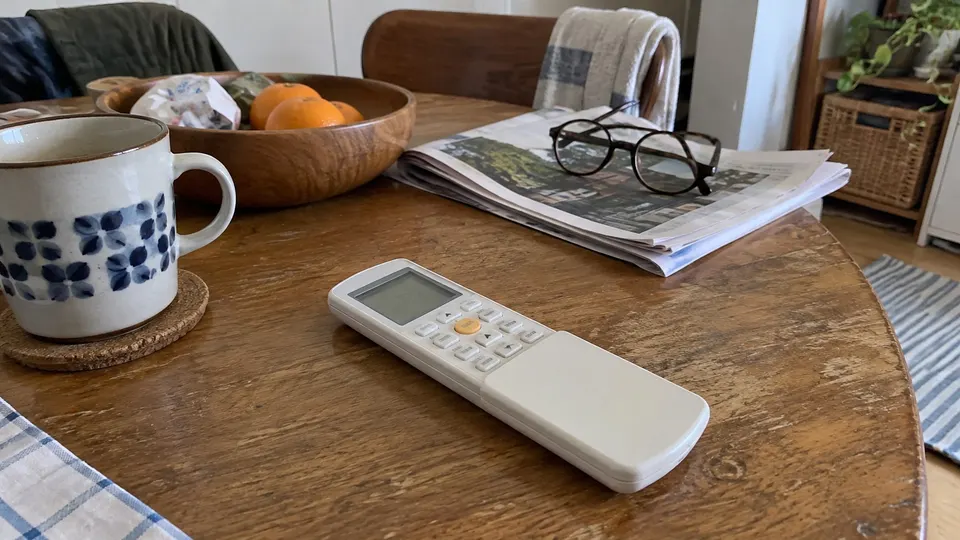
Short answer: On the LG wall-unit remote shown in this guide, a snowflake means cooling, a sun means heating, a drop means dehumidification, a fan means air circulation, and an A means automatic operation. MODE selects the operating mode. Match your controller before using timer or long-press instructions, because LG remote layouts and optional features vary.
Match your remote before pressing combinations
Start with the indoor model number and the remote's button layout. This guide uses LG's conventional wireless controller with MODE, JET MODE, FAN SPEED, SWING, TIMER and SET/CANCEL. LG's current support page also shows newer Art Cool, Dual Cool and other wall-unit controllers. Their menus and long presses are not all the same.
If a button or feature is absent, do not assume a hidden combination will add it. A heat symbol on a general-purpose controller also does not turn a cooling-only unit into a heat pump.
Read the main symbols
| Symbol or label | Meaning on the illustrated conventional remote | What to check |
|---|---|---|
| Snowflake | Cool | Set temperature below the current room temperature when cooling is needed |
| Sun | Heat | Available only on a heating-capable system |
| Water drop | Dry/dehumidification | Not the same as Fan mode; see the model's dry-mode controls |
| Fan blades | Fan-only operation | Moves air without selecting heating or cooling |
| A / Auto | Automatic operation or changeover | Behaviour depends on the model |
| Fan-speed bars | Selected fan speed | More bars indicate a higher selected speed on this layout |
| Swing/louver symbol | Airflow direction or swing | Up/down and left/right capability vary |
| Timer indicator | A scheduled on/off event | Check the clock and the selected event |
| JET MODE / Po | Rapid temperature change | Optional; not a fault code in this operating context |
A number on the remote is normally the set temperature, not a diagnosis of the room. On the conventional controller, ROOM TEMP requests the room-temperature display. Do not confuse that with the target setting.
Step 1: Set cooling or heating
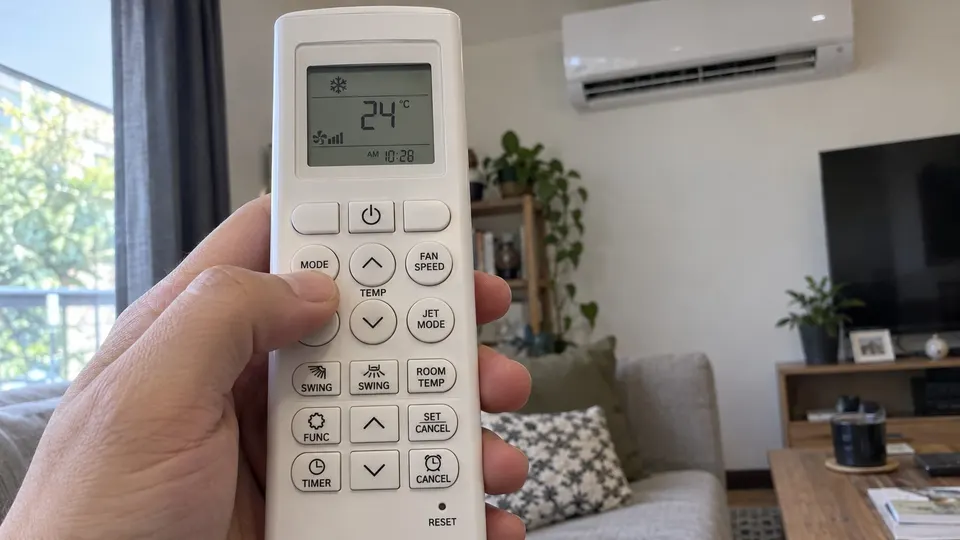
- Aim the transmitter at the indoor receiver, with curtains and furniture out of the signal path.
- Press ON/OFF to start the unit.
- Press MODE until the snowflake or sun appears, according to what you need and what the unit supports.
- Use the temperature buttons to choose your target.
- Press FAN SPEED to select the airflow. Use SWING for a supported louver setting.
Start with the normal mode before trying Jet or an energy-control feature. Change one setting at a time so you can tell what changed. Do not force the vanes by hand while the motor is moving them.
For moisture control, choose Dry rather than guessing from the fan-speed bars. The mini split dry-mode guide explains why Dry and Cool feel different, but your LG manual controls the available adjustments.
Step 2: Set or cancel a timer on the conventional layout
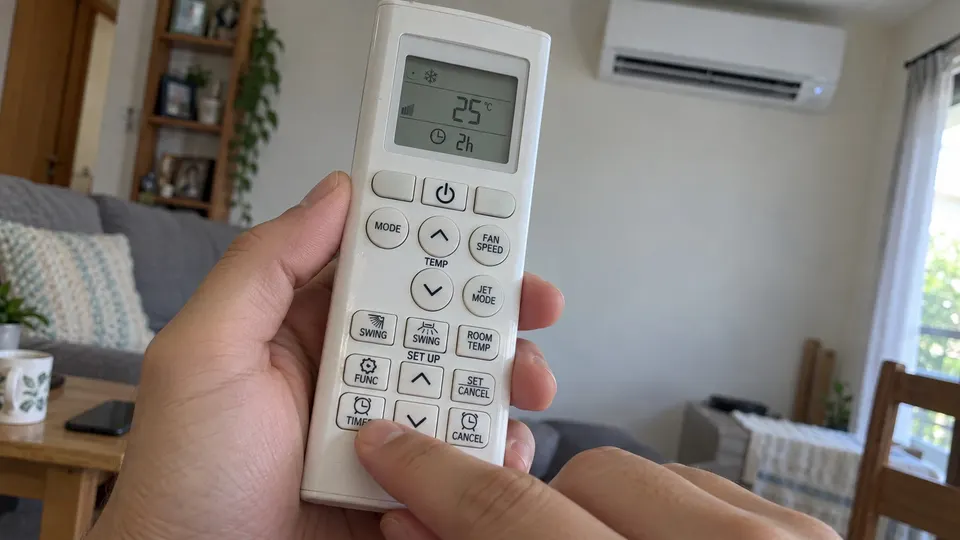
Set the current time first. On the conventional manual's controller, use the time-adjustment buttons and SET/CANCEL to finish the clock setting.
Then press TIMER until the required on or off timer indicator blinks. Adjust the time and press SET/CANCEL to finish. To clear all timer settings on this layout, use CANCEL. Check that the timer indicator has gone before assuming the schedule is removed.
Sleep and simple timers are optional. They are not interchangeable with a clock-time on/off timer. Newer menu-style remotes may use different timer controls, so follow the section that matches the actual remote rather than copying this button sequence.
Special functions that often cause confusion
Jet changes temperature quickly; it is not needed for every start. LIGHT OFF, where fitted, controls the indoor display. It does not necessarily switch the air conditioner off. ENERGY CTRL. can limit power input and reduce capacity; it is not a guarantee of a particular saving on the bill.
FUNC. cycles through optional functions on the conventional controller; SET/CANCEL confirms the selection. Do not assume every icon shown in the manual is supported by your indoor unit.
Temperature-unit conversion also differs. In the illustrated conventional manual, the marked °C/°F SWING control is held for about five seconds. Use that only when your remote has that marking and your manual confirms it. Do not substitute a different remote's long press.
If the display changes but the unit does not respond
Fit fresh matching AAA batteries with the correct polarity, aim directly at the receiver and try a basic ON/OFF command. The remote's display changing alone does not prove the unit received the command. Bright light or an obstruction can interfere with the signal.
If the unit still does not respond, use LG support with the model number and a photograph of the remote. Do not open its electrical compartment. Keep the transmitter and receiver clean with a soft cloth, keep the remote dry, and keep batteries away from children.
Related reading
- If the display shows a CH code, see the LG error codes.
Sources
- LG wireless-remote operation manual, printed pages 13 to 23: symbol chart, clock, modes and timers.
- LG USA: remote-control guide with separate controller layouts.