Short answer: The Gree remote selects Auto, Cool, Dry, Fan and Heat with the Mode button. Turbo runs the unit at top speed for a quick change. X-Fan dries the coil after you switch off. Several functions use two buttons at once, such as TEMP plus CLOCK for the energy saving or 46°F heating mode. Not every model has every button.
About this guide
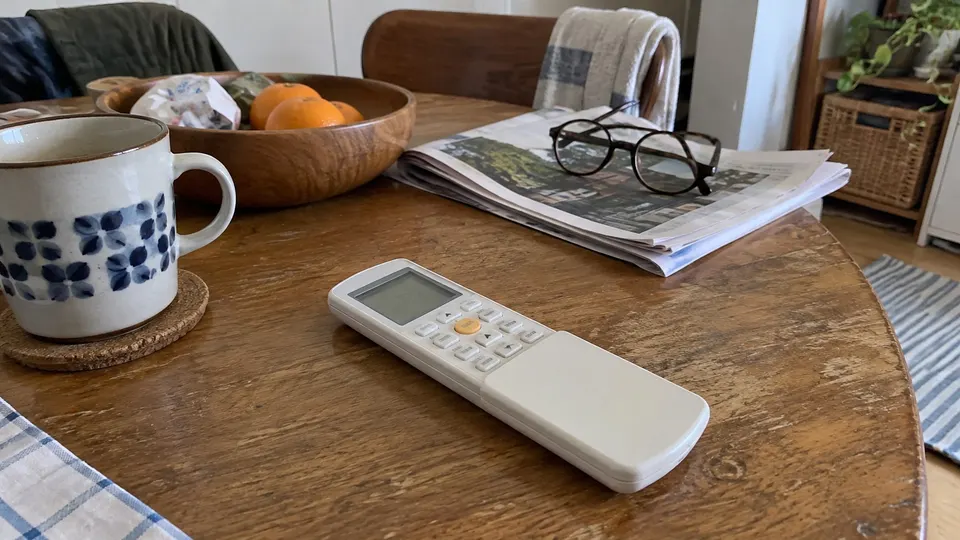
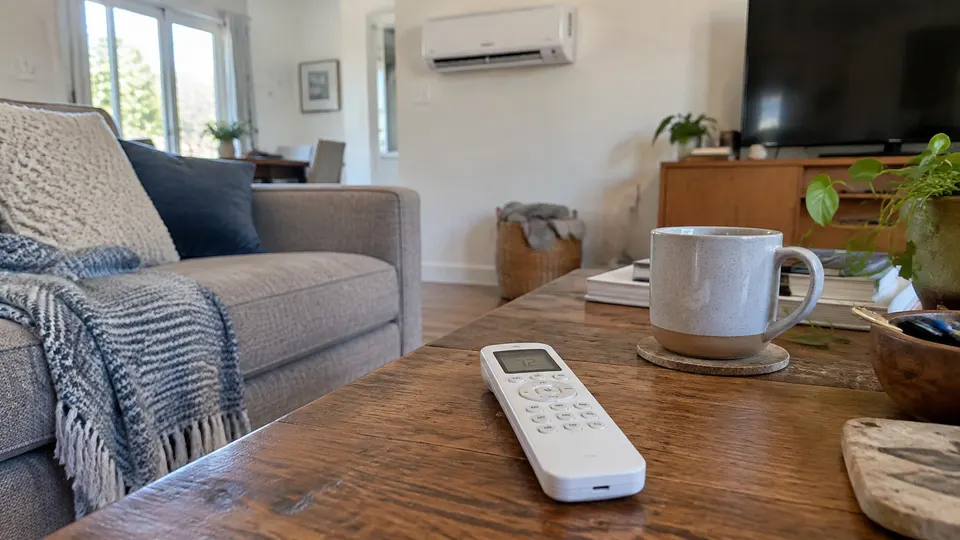
This page follows Gree's owner's manual for the Vireo Gen3 mini split. Gree says its wireless remote is a general-use controller that covers several models. If a function is not on your model, pressing the button has no effect. Check your own manual for your model.
The main buttons
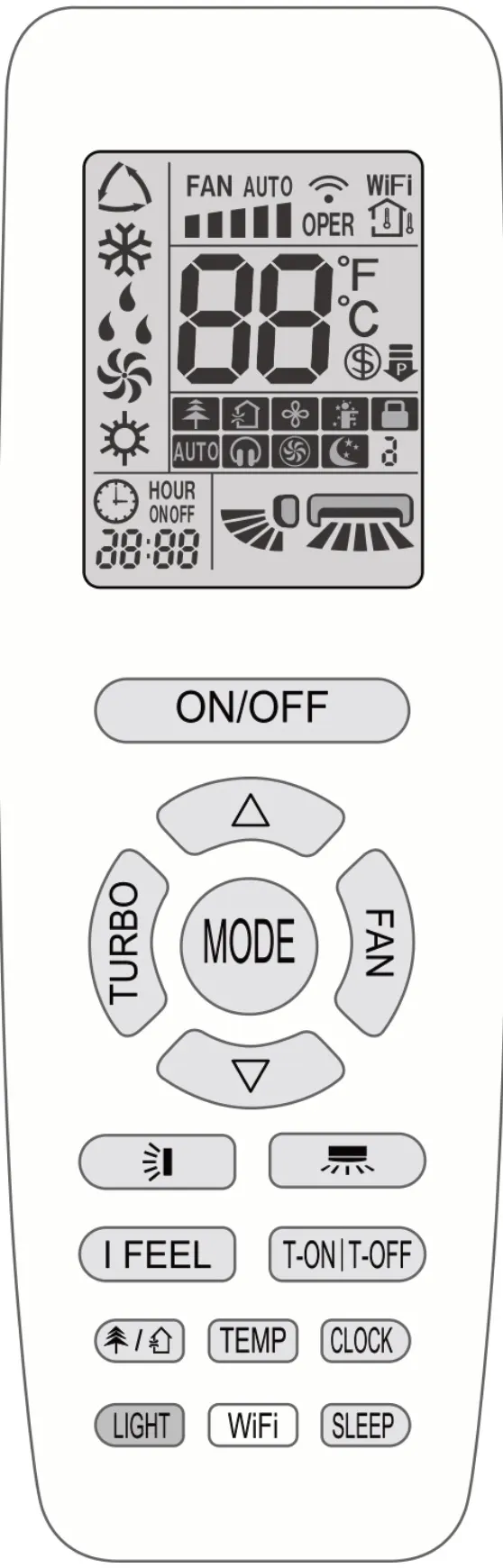
From the Gree manual:
- MODE. Picks Auto, Cool, Dry, Fan only or Heat.
- Auto. The unit runs automatically on its factory settings. The manual says to select Auto first, then adjust the set temperature.
- Cool and Heat. Set the temperature with the up and down buttons. The remote's range is 61 to 86°F (16 to 30°C). In Heat mode, Gree says there is a 1 to 5 minute delay so the coil can warm before the fan blows. That prevents cold air at start-up.
- Dry. Runs at low fan speed, and fan speed cannot be changed.
- Fan only. No heating or cooling.
- FAN. Sets fan speed. The unit offers seven fan speeds plus Turbo.
- TURBO. In Cool or Heat, it runs the unit at very high speed to reach the temperature quickly. Press again to exit.
- Swing buttons. Set the left-right and up-down airflow angle. Holding a swing button for over 2 seconds starts continuous swing.
- T-ON and T-OFF. Timer on and off. Set the clock first. The clock is 24 hour. If you wait more than 5 seconds between steps, the setting is cancelled.
- SLEEP. Offers Sleep 1, 2 and 3. In Sleep 1 in Cool mode, the temperature rises 2°F after one hour and 4°F after two hours, then holds. In Heat mode it drops the same amounts. You must set it again after turning the unit off.
- I FEEL. The remote sends the room temperature it senses to the unit. Keep the remote near you and away from very hot or cold objects, and where the unit can still receive its signal.
- LIGHT. Turns the indoor display light on or off.
- WiFi. On Vireo Gen3 models only. Press to turn it on, hold 5 seconds to turn it off.
What the symbols on the Gree remote display mean
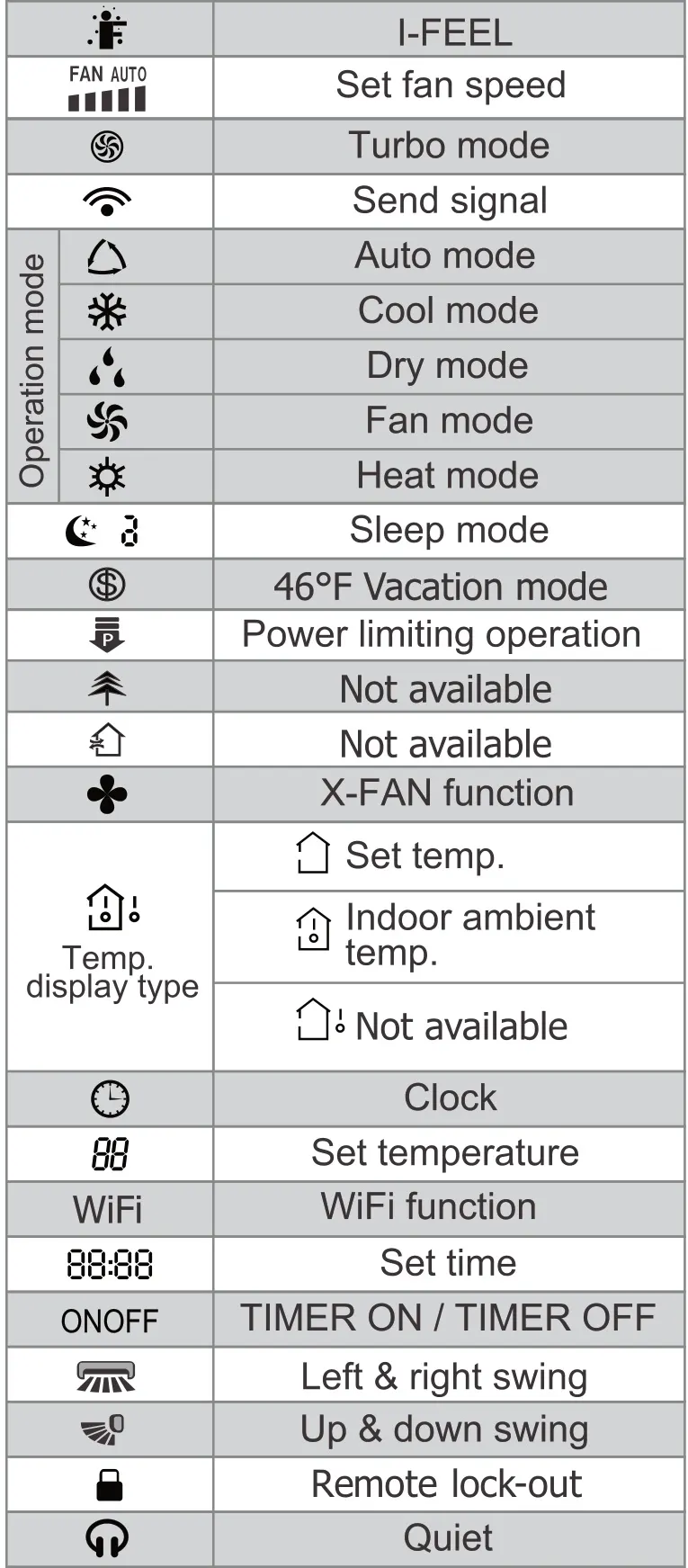
These are the symbols listed in the display legend of Gree's Vireo Gen3 manual. Your remote may show fewer of them.
| Symbol on the screen | What Gree calls it |
|---|---|
| Small person with arrows | I-FEEL |
| FAN AUTO with bars | Fan speed |
| Fan in a circle | Turbo mode |
| Waves, like a wifi sign | Send signal (blinks when the remote sends a command) |
| Triangle | Auto mode |
| Snowflake | Cool mode |
| Water drops | Dry mode |
| Fan blades | Fan mode |
| Sun | Heat mode |
| Moon | Sleep mode |
| Dollar sign in a circle | 46°F vacation mode |
| Down arrow over a bar | Power limiting operation |
| Four-blade fan | X-FAN function |
| House with an arrow | Temperature display type: set temp or indoor ambient temp |
| Clock face | Clock |
| 88 | Set temperature |
| WiFi | WiFi function |
| 88:88 | Set time |
| ON and OFF words | Timer on and timer off |
| Fan louver, side to side | Left and right swing |
| Fan louver, up and down | Up and down swing |
| Padlock | Remote lock-out |
| Headphones | Quiet |
Two symbols in Gree's legend are marked "Not available" for this model, so ignore them if you see them in the display area.
Quick checks with the remote in your hand:
- Press ON/OFF and watch for the signal waves symbol to blink once with a beep. That tells you the remote sent the command.
- If nothing changes, look for the padlock. If it is on, press the up and down arrows together to unlock.
- If the display is blank or fuzzy, Gree says to replace the batteries.
X-Fan
Hold the fan button for 2 seconds in Cool or Dry mode. The X-Fan icon shows and, after you turn the unit off, the indoor fan keeps running for a few minutes to dry the indoor coil. Gree says you can hold the fan button 2 seconds during that time to stop the fan.
Two-button functions
Gree lists these button combinations:
| Press together | What happens |
|---|---|
| TEMP and CLOCK, in Cool mode | Energy-saving function. "SE" shows. Fan speed goes to Auto and Turbo is disabled |
| TEMP and CLOCK, in Heat mode | 46°F (8°C) heating mode (freeze guard). The space will not drop below that. Temperature and fan speed cannot be changed |
| Up and down arrow buttons | Remote lock on or off. When locked, the padlock icon blinks three times and no signal is sent |
| Down arrow and MODE, with the unit off | Switches display between °C and °F |
| MODE and FAN held 5 seconds, with the unit off | Auto Clean on or off. The unit shows "CL" |
Auto Clean makes noise as the unit cools and heats rapidly. Gree says the sound of liquid refrigerant or thermal expansion is normal. It does not work in very hot or cold outdoor weather. Gree says to run it monthly in a dusty room, or every three months otherwise. It is only on some models, including the Vireo Gen3.
If something looks wrong
If the unit is not doing what you expect, do not worry. Check these things on the remote first, in order.
If the remote does nothing, check the lock icon first. Press the up and down arrow buttons together to turn it off, as Gree's manual describes. If the unit shows a code instead, check your Gree manual's code list. The manual says Gree units run self-diagnosis and show fault codes on the display.
For a unit that runs but will not cool or heat, see mini split not cooling and mini split not heating.
The wireless remote and the phone app are different control routes. For app pairing, use the separate Gree Wi-Fi setup guide.
Sources
Your remote may differ. Follow the manual for your model.
Remote and display-symbol drawings: manufacturer manual, PDF page 10.