Short answer: A Daikin wireless remote has mode buttons for Automatic, Cooling, Drying, Heating and Fan only, plus Powerful, Econo and Comfort buttons. Powerful runs 20 minutes at maximum. Econo limits power use. Comfort points air away from people. In Drying and Fan only you cannot set a temperature.
About this guide
This page follows Daikin's user reference guide for the FTXTP-N and FTXTP-M models, which Daikin publishes with its European documents. Daikin remotes vary by model and region, so check the manual for your unit. Do not assume a button or combination applies to another Daikin remote.
Modes
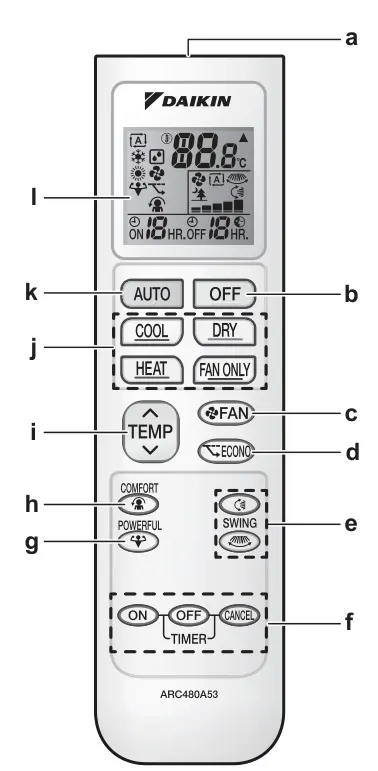
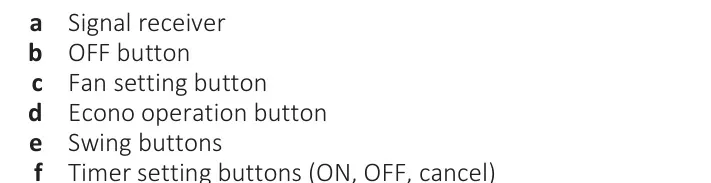
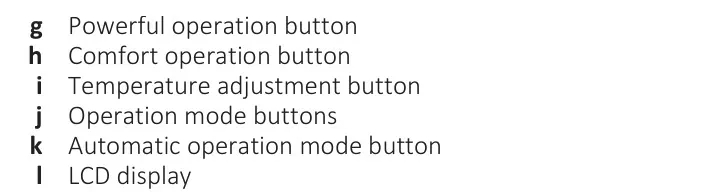
Daikin describes the operation modes like this:
| Mode | What it does |
|---|---|
| Automatic | Cools or heats to the set temperature and switches between them if needed |
| Drying | Lowers humidity. You cannot adjust temperature or airflow rate |
| Heating | Heats to the set temperature |
| Cooling | Cools to the set temperature |
| Fan only | Controls airflow only, with no temperature control |
The guide lists the temperature setting ranges (in Celsius): 18 to 32 in cooling, 10 to 30 in heating, 18 to 30 in automatic.
Special buttons
- Powerful. Quickly maximizes cooling or heating. The outdoor unit's capacity goes up, airflow is fixed at maximum, and you cannot change the temperature or airflow. It runs 20 minutes, then goes back to your earlier mode. It cannot be used with Econo or Comfort. The last one you choose wins.
- Econo. Limits the compressor speed to cap power use. Daikin says it is useful when you run other appliances and want to avoid tripping a breaker. If power use is already low, it does nothing more.
- Comfort. Points the airflow up in cooling and down in heating, so wind does not hit people directly. It is not available in Fan only mode.
- Swing. Moves the flap up and down, the louvers side to side, or both for 3D airflow. Daikin warns to use the remote and never move the flaps by hand, since the mechanism will break.
- Timers. ON and OFF timers can be used together. Reprogram them if a breaker turned the unit off.
The airflow rate
Daikin shows five airflow levels, plus Automatic and Indoor unit quiet. In heating, the airflow rate is lowered at first so cold air is not blown. When the unit reaches the set temperature, the fan stops in cooling or automatic mode, and runs at low in heating.
What the beeps mean
Daikin lists these sounds from the indoor unit:
- Beep-beep: operation starts
- One beep: a setting changed
- Long beep: operation stops
Using the remote
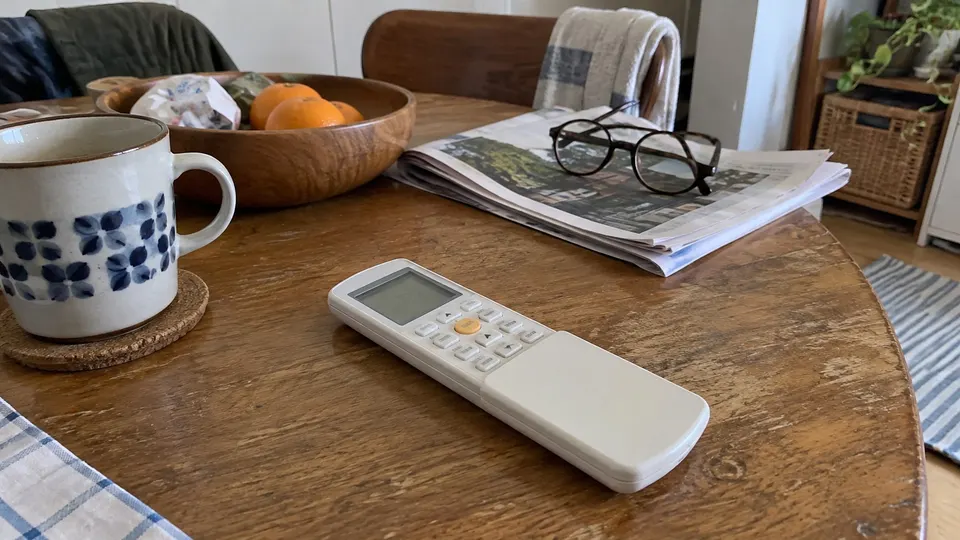
Pick up the remote and point it at the indoor unit. Press one button at a time, and wait for the beep before pressing the next.
- Aim the remote at the receiver on the indoor unit. Maximum distance is 7 m (about 23 feet).
- Keep it out of direct sunlight and away from water. Do not drop it.
- Other appliances can interfere. Daikin says to keep the remote away from electronics that react to infrared signals.
If the unit shows "DF" or the heat stops for a while, that may be a defrost cycle. Daikin notes hot air is not blown during defrost. See what DF means on a mini split.
If the remote works but the room does not cool or heat, see mini split not cooling and mini split not heating.
Related reading
- If the display shows a code, check the Daikin error codes.
Sources
Your remote may differ. Follow the manual for your model.
Remote button drawings: manufacturer manual, PDF page 13.